
Is My Email on the Dark Web? How to Check
You can find out if your email is on the dark web using specific tools, allowing you to take immediate action to secure your accounts.
- Written:
- Updated: October 25, 2026
- Editor: Cassandra Delacroix
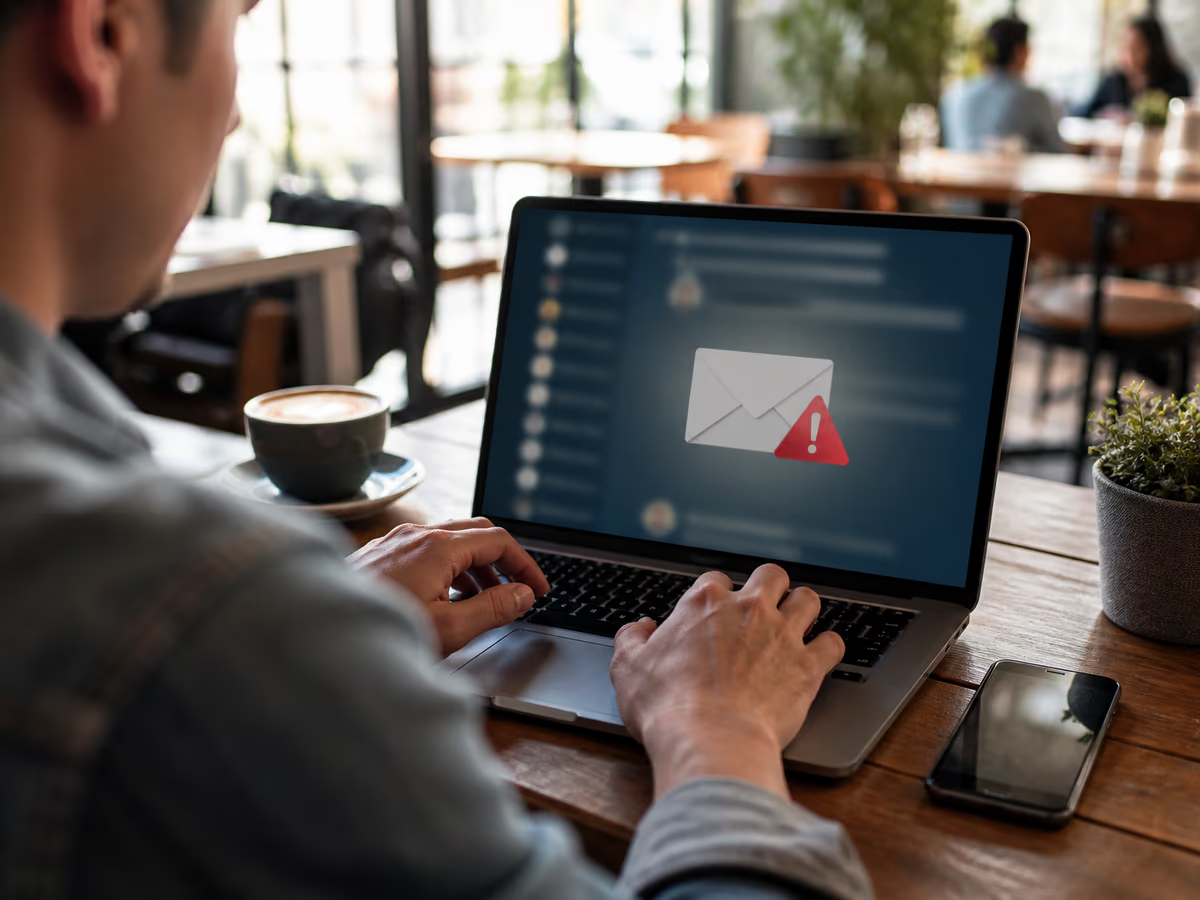
Verifying email safety in a public space.
To check if your email is on the dark web, enter it at Have I Been Pwned — a free service that tells you whether the address has appeared in known data breaches[1]. If it has, take these steps immediately:
Dark Web Alert Services Comparison
| Service | What They Scan | Data Types Monitored | Alerts Details |
|---|---|---|---|
| Have I Been Pwned | Known data breaches | Emails, phone numbers, passwords | Notifies if email is exposed |
| CreditWise | Depends on subscription | Credit reports, personal info | Alerts on credit changes |
| Experian | Credit reports | Credit history, personal info | Alerts on suspicious activity |
| McAfee | Dark web sources | Emails, passwords, personal data | Alerts if data is found |
| Google services | Account activity, personal info | Alerts for suspicious logins |
What “Your Email Is on the Dark Web” Actually Means
When you receive an alert stating that your email is on the dark web, it doesn't mean your email is freely searchable in a single database. Instead, it typically indicates that your email has appeared in a dataset resulting from a data breach, which may be traded or dumped on underground forums.
Understanding the difference between an email address alone and a combination of email and password is crucial. An email address by itself is often sold in bulk for mere pennies per record. In contrast, credential pairs—where both the email and password are included—fetch a higher price due to their potential for misuse in credential stuffing attacks. This means that if your email is flagged, it could be part of a larger set of compromised data that hackers are looking to exploit.
In 2024, the Identity Theft Resource Center reported tracking over 3,158 data compromises, with more than 1.3 billion victim notices issued—highlighting the sheer scale of data breaches and the risks involved[4]. This vast pool of compromised information often ends up on paste sites, where malicious actors can easily access it.
To check if your email has been involved in a breach, utilize services like Have I Been Pwned. This platform allows you to input your email address and see if it has appeared in known data breaches[1]. If your email is found, it’s essential to act quickly. Change your password immediately and consider using a password manager to create unique passwords for different accounts. Additionally, turning on two-factor authentication adds an extra layer of security, making it harder for hackers to gain access even if they have your password[2].
Be proactive and vigilant. The dark web can be a dangerous place, but understanding the implications of your email being compromised is the first step in protecting yourself.
Is This Alert Real or a Scam?
Fake 'dark web alert' emails are on the rise, often used as phishing lures to steal your personal information. These scams can look convincing, making it crucial to verify their authenticity before taking any action.
Start by checking the sender's domain against the official service. For instance, if you receive an alert claiming to be from a well-known security provider, ensure the email address matches the company's official domain. Scammers often use slight variations to trick recipients.
Never click links in unsolicited alerts. Instead, visit the official website directly by typing the URL into your browser. This prevents you from falling into traps set by malicious actors who create fake pages to capture your information.
Lastly, cross-check the claim using a trusted independent tool like Have I Been Pwned. This service allows you to enter your email address and see if it has appeared in known data breaches[1]. It's a straightforward way to confirm whether the alert you received has any basis in reality.
Remember that legitimate alerts from banks or credit monitoring services will never ask for your password. If a message requests sensitive information, it's a strong indicator of a scam. Protect yourself by being vigilant and verifying any alerts you receive.
How to Check If Your Email Is Exposed (Free Methods)
To verify if your email has been compromised, start with Have I Been Pwned. This free service allows you to enter your email address to check if it has appeared in known data breaches[1]. Follow these steps:
Go to the Have I Been Pwned website.
Enter your email address in the search bar.
Review the breach list that appears. Pay special attention to the 'paste' section, which indicates if your information is available on paste sites.
If your email is found in a breach, take immediate action. Change your password and any similar passwords to enhance your security[2].
Google also offers a Dark Web Report for users with Google One or through account settings. This report scans Google services for account activity and personal information, alerting you to any suspicious logins. It's essential to regularly check this report to stay informed about potential risks.
Additionally, consider free credit bureau scans from services like Experian and CreditWise. These scans monitor credit reports and personal information, alerting you to any suspicious activity. However, be aware that these tools only show known public breaches and do not monitor live dark web marketplaces.
Remember, while these tools are useful for detecting known breaches, they may not capture all instances of compromised data. Always remain vigilant and proactive in protecting your digital identity.
What Hackers Can Actually Do With Your Email Address
Understanding the risks associated with your email exposure is crucial for your online safety. An email address alone can lead to various threats, but when combined with a password, the potential for damage increases significantly.
When your email is exposed without a password, hackers can engage in phishing attacks, inundate you with spam, or conduct account enumeration. For instance, you might receive targeted phishing emails that appear to come from your bank, tricking you into providing sensitive information. These emails often contain links that lead to fake websites designed to steal your login credentials.
On the other hand, if your email is paired with a password, the stakes are much higher. Hackers can execute credential stuffing attacks, where they use your stolen credentials across multiple sites. This is especially effective since many users reuse passwords. In fact, data from the Identity Theft Resource Center indicates that in 2024 alone, over 3,158 data compromises were tracked, resulting in more than 1.3 billion victim notices[4]. This highlights the prevalence of such attacks and the importance of using unique passwords for different accounts.
Moreover, if your email and password are compromised, hackers can initiate password reset attempts on various accounts, potentially taking over your online identity. This becomes even more dangerous when combined with other personally identifiable information (PII), such as your Social Security Number or home address. Identity theft can occur, leading to financial losses and long-term consequences.
To mitigate these risks, consider implementing strong security measures. Utilize a password manager to create unique, complex passwords for your accounts. Enable two-factor authentication (2FA) wherever possible, adding an extra layer of security[2]. If you suspect your email is compromised, act swiftly. Change your password immediately and monitor your accounts for any suspicious activity.
Being aware of these threats can help you take proactive steps to safeguard your online presence. The dark web is filled with potential dangers, but understanding what hackers can do with your email address is the first step in protecting yourself.
Immediate Steps If Your Email Was Found in a Breach
If your email has been discovered in a breach, immediate action is crucial to minimize potential damage. Follow this prioritized action list:
Change Your Passwords: Start by changing the password for the breached account and any other accounts that share the same password. This is vital because reusing passwords can lead to further breaches across multiple platforms[2]. Create a strong password of at least 12 to 15 characters, ideally using a password manager to generate and store unique passwords[5].
Enable Two-Factor Authentication (2FA): Activate 2FA on your email and financial accounts. This adds an extra layer of security, requiring a second verification step, such as a text message code, making it harder for hackers to access your accounts even if they have your password[2].
Check Account Activity: Review your account activity for any unauthorized changes. Look for unfamiliar logins or transactions, and check if any auto-forwarding rules have been set up without your consent. Hackers may create these rules to siphon off your emails to another address[3].
Alert Your Bank: If financial data, such as credit card information or bank account details, was part of the breach, notify your bank immediately. They can monitor your accounts for unusual activity and provide additional security measures.
Consider a Fraud Alert or Credit Freeze: If your Social Security Number (SSN) or home address was exposed, consider placing a fraud alert on your credit report or even freezing your credit. This helps prevent identity theft by making it harder for someone to open accounts in your name. A fraud alert lasts for 90 days and can be renewed[3].
Taking these steps in this order ensures you address the most critical vulnerabilities first, helping to protect your personal information from further exploitation. Stay vigilant and regularly monitor your accounts to safeguard your digital identity.
Can You Remove Your Email from the Dark Web?
You cannot delete your email from the dark web. Once data is shared on distributed networks, it becomes nearly impossible to remove it completely.
Many services claim to help with 'removal,' but their capabilities are limited. They typically monitor known data leaks and provide alerts when your email appears in new breaches. Some may even submit takedown requests to paste sites where your information is posted. However, they cannot remove your data from private forums or marketplaces where it might be sold or exchanged[6]. This means that while you can receive warnings about your email's exposure, actual removal is not feasible.
Instead of focusing on removal, it's more effective to neutralize the potential risks associated with exposed data. Here are some actionable steps you can take:
Change Your Passwords: If your email is compromised, immediately change your passwords for that account and any others where you may have used the same password. The U.S. Federal Trade Commission (FTC) advises creating strong passwords of 12 to 15 characters[3]. Using a password manager can help you generate and store unique passwords for different accounts.
Enable Two-Factor Authentication (2FA): Implementing 2FA adds an extra layer of security. Even if someone obtains your password, they will still need a second verification step to access your account[2]. This significantly reduces the chances of unauthorized access.
Stay Informed: Utilize services like Have I Been Pwned to keep track of your email's exposure across data breaches[1]. Regular checks can help you stay ahead of potential threats.
Monitor Your Accounts: Keep an eye on your accounts for any suspicious activity. This includes checking for unauthorized logins or changes, as well as reviewing your financial statements for unusual transactions.
Focusing on these steps will help protect your online identity more effectively than trying to remove your email from the dark web.
How to Prevent Future Exposure
To safeguard your email and personal information from future breaches, implement a series of proactive measures. These steps can significantly reduce your risk of exposure and enhance your online security.
Use a Password Manager
Utilizing a password manager is one of the most effective actions you can take. This tool generates unique, complex passwords for all your accounts, minimizing the risk of credential reuse. The U.S. Federal Trade Commission recommends creating strong passwords of at least 12 to 15 characters and advises against reusing passwords across different sites[2]. With a password manager, you can easily manage these unique passwords without the need to memorize them.
Employ Email Aliases or Plus-Addressing
When signing up for online services, consider using email aliases or plus-addressing. This method allows you to create variations of your email address (e.g., yourname+service@gmail.com) while still directing all messages to your main inbox. This technique helps you track which services might be sharing your email and can reduce spam.
Enable Two-Factor Authentication (2FA)
Activating two-factor authentication on your accounts is crucial. 2FA adds an extra layer of security, requiring a second verification step (like a text message code) to access your account, even if your password is compromised[2]. This significantly decreases the chances of unauthorized access.
Recognize Phishing Attempts
Being able to identify phishing attempts is essential. Scammers often use emails that appear legitimate to trick you into providing your credentials. Always verify the sender's email address and avoid clicking links in unsolicited messages. Instead, navigate directly to the website by typing the URL into your browser.
Set Up Ongoing Monitoring
Consider using monitoring services to keep track of your email's exposure. Tools like Have I Been Pwned notify you if your email appears in new data breaches[1]. While some services are free, others may offer more comprehensive monitoring for a fee. Regular checks can help you catch any potential breaches early.
Stay Informed and Vigilant
Regularly review your account activities for unauthorized changes. If you notice anything suspicious, take immediate action by changing your passwords and enabling 2FA. Keeping informed about the latest security practices will empower you to protect your digital identity effectively.
By taking these steps, you can significantly reduce the risk of future exposure and enhance the security of your online accounts.
Understanding the Alert You Received: CreditWise, Experian, McAfee, and Others
When you receive an alert about your email being found on the dark web, it’s essential to decode the specifics. Different services like CreditWise, Experian, and McAfee use varied language and data types in their notifications. Understanding this can guide your next steps.
CreditWise typically notifies users if their email is linked to any data breaches, indicating it has been found in compromised databases. Experian's Dark Web Scan goes a step further by monitoring not just emails but also Social Security Numbers (SSNs), phone numbers, and credit card information. McAfee's Dark Web Alert focuses on alerts regarding your email and associated credentials but may not cover SSNs or financial data in the same depth.
Data Types Monitored
Here’s a breakdown of what each service monitors:
| Service | SSN | Phone Number | Credit Card | |
|---|---|---|---|---|
| CreditWise | Yes | No | No | No |
| Experian | Yes | Yes | Yes | Yes |
| McAfee | Yes | No | No | No |
Severity Interpretation
Alerts vary in severity. A notification stating your email was found on the dark web signals a potential risk but does not confirm any misuse. For instance, if Experian alerts you about your SSN, it indicates a higher risk of identity theft. Conversely, if CreditWise only mentions your email, the urgency may be less critical, but immediate action is still advisable.
Understanding the context of these alerts is crucial. For example, if you see 'found on the dark web' in your Experian notification, it suggests your data might be actively traded or used maliciously. In contrast, a similar alert from CreditWise may indicate your email was part of a past breach without current exploitation.
To further assess your exposure, consider using Have I Been Pwned, a service that allows you to check if your email appears in known data breaches[1]. Take proactive steps based on the alerts you receive, especially if sensitive information like your SSN is involved.
Your Dark Web Exposure Checklist
To help you take immediate action if your email has been exposed on the dark web, we’ve created a concise checklist summarizing the essential steps. You can download or print this checklist for easy reference.
Verify the Alert
Start by confirming whether the alert you received is legitimate. Use services like Have I Been Pwned to check if your email address has appeared in known data breaches. This service allows you to enter your email and see if it has been compromised[1].
Run a Free Scan
Conduct a free scan using reputable monitoring tools. Many services offer dark web scans that can alert you if your email or other personal information is being sold or traded[6]. This will give you insight into the extent of your exposure.
Identify What Was Exposed
Determine what specific information was compromised. This could include your email, passwords, or financial details. Knowing what data is at risk will inform your next steps and help you prioritize actions.
Change Passwords
Immediately change the passwords for any affected accounts. Ensure you create strong passwords of at least 12 to 15 characters[5]. Consider using a password manager to generate and store unique passwords for different sites[2].
Enable Two-Factor Authentication (2FA)
Activate 2FA on your email and financial accounts. This adds an essential layer of security by requiring a second verification step, making it significantly harder for hackers to gain access even with your password[2].
Check Financial Accounts
Monitor your bank and credit card statements for any unauthorized transactions. If you notice anything suspicious, contact your financial institution immediately to report potential fraud.
Set Up Ongoing Monitoring
Consider setting up ongoing monitoring services that will alert you to any future breaches involving your email or personal information. Regular checks can help you stay ahead of potential threats.
By following this checklist, you can take proactive measures to protect your online identity and mitigate the risks associated with dark web exposure. For more detailed guidance on each step, refer back to the main sections of this article.
Common Mistakes and Misconceptions
Assuming email exposure means your password is also exposed
Most dark web alerts only tell you that your email address appeared in a breached dataset. That does not automatically mean the password for that email account is compromised. The breach could contain just email addresses, usernames, or other non-password fields. Before you reset every account you own, check what the alert actually lists. If the alert names a specific site and says a password was included, change that password immediately and any similar ones[2]. If it only lists your email, you still need to watch for phishing attempts, but a full password reset across all accounts may be unnecessary.
Trusting the alert without verifying who sent it
Scammers know that dark web alerts make people anxious, and they use that anxiety to send fake notifications. An email claiming your information was found on the dark web might be a phishing attempt designed to steal your login credentials. The FTC warns that scammers may use a real agency's name, such as the FTC or Social Security Administration, when contacting you about a data breach[7]. Do not click links in an unsolicited alert. Instead, open a new browser tab and go directly to the service that supposedly sent the alert, or run your own check through Have I Been Pwned[1].
Believing you can delete your email from the dark web
Once your email address is circulating on distributed networks, forums, or marketplaces, there is no delete button. Removal services cannot reach into private forums or closed marketplaces where data is bought and sold[6]. What some services can do is submit takedown requests to public paste sites, but that only removes one copy from one location. The realistic goal is not removal. It is neutralizing the risk: change exposed passwords, enable multi-factor authentication, and watch for unauthorized access[2].
Treating all dark web alerts as equally urgent
An alert from CreditWise saying your email was found in a breach is not the same as an Experian alert saying your Social Security number was found. Email-only exposure raises your phishing risk and tells you which accounts need password changes. SSN exposure raises identity theft risk and requires credit monitoring and possibly a fraud alert. Before you react, identify exactly what data type the alert references. Then match your response to that data type instead of applying the same panic-level response to every notification.
Assuming a single password change fixes everything
Changing the password on the breached account helps, but it does not stop an attacker who already added auto-forwarding rules to your email. The FTC advises checking for forwarding rules you did not set up, because hackers may create these rules to forward your emails to another address[3]. After a breach, check your email settings for filters, forwarding addresses, and linked accounts you do not recognize. Then sign out of the account on all devices to kick out anyone who is still logged in[3].
Thinking periodic password changes will protect you
Many people respond to a dark web alert by changing passwords every 30 or 60 days, assuming that frequent changes improve security. NIST guidance says verifiers should not require periodic password changes, but they must force a change if there is evidence the authenticator has been compromised[5]. What matters more is password length and uniqueness. The FTC recommends 12 to 15 characters or a passphrase[3], and NIST requires a minimum of 15 characters for single-factor passwords[5]. Use a password manager to generate unique passwords you will not reuse across sites[2].
Conclusions
Verify any dark web alert through an independent check, such as Have I Been Pwned, before we reset a single password[1].
Ignore links in unsolicited alerts; open the monitoring service in a new tab instead.
Change passwords only for accounts the alert names as compromised, using 12 to 15 characters or a passphrase[5].
Turn on two-factor authentication for email and financial accounts[2].
Look for auto-forwarding rules or filters we did not set up[3].
Next, to see how breached email addresses are discussed and traded in dark web communities, read Dark Web Reddit: A Community Overview.
Your questions, answered
Can I remove my email from the dark web?
No, there is no delete button for data already circulating on distributed networks, forums, or marketplaces. Removal services can submit takedown requests to public paste sites, but that only removes one copy from one location[6]. Your realistic goal is neutralizing the risk: change exposed passwords, enable multi-factor authentication, and monitor for unauthorized access[2].
Is it bad if your email address is on the dark web?
Email-only exposure raises your phishing risk and tells you which accounts need password changes, but it does not confirm identity theft. The ITRC tracked 3,158 U.S. data compromises in 2024, with victim notices rising 211% to more than 1.3 billion, so email exposure is common[4]. Treat it as a signal to act, not as proof that your accounts are already compromised.
How did my email address get on the dark web?
Your email typically lands on the dark web when a company you use suffers a data breach and attackers copy its user database. The ITRC's database has grown to more than 21,900 tracked data compromises exposing approximately 60 billion records[6]. Once that data is copied, it gets traded or posted on hidden forums and marketplaces.
How would my email be on the dark web?
Your email appears on the dark web when a breached dataset containing your address is uploaded, sold, or shared on hidden sites. You can check whether your email has appeared in known breaches by entering it into Have I Been Pwned[1]. That service hashes your email with SHA-1 and sends only the first 6 characters, so the full address is never disclosed during the search[8].
Is my email on the dark web or password?
Most dark web alerts only tell you that your email address appeared in a breached dataset, not that the password for that email account is also exposed. The breach could contain just email addresses, usernames, or other non-password fields. If the alert names a specific site and says a password was included, change that password immediately and any similar ones[2].
What should I do if my email has been pwned?
First, verify the breach through Have I Been Pwned by entering your email address[1]. Then change the password for the breached account using 12 to 15 characters or a passphrase, and turn on multi-factor authentication[3][2]. Check your email settings for auto-forwarding rules you did not set up, because hackers may use them to forward your messages to another address[3].
How to check if my personal information has been compromised online?
Enter your email address into Have I Been Pwned to see whether it has appeared in known data breaches[1]. The service also supports searching phone numbers and passwords[1]. If you believe your personal information was stolen, report it at IdentityTheft.gov to get a personalized recovery plan[3].
Explore More on Dark Web Safety
Discover additional resources to protect your online presence.
Browse ResourcesSources consulted
- 1
- Have I Been Pwned: Check if your email address has been exposed in a data breach
- 2
- FTC Consumer Advice: Have you been affected by a data breach? Read on
- 3
- FTC Consumer Advice: Email or social media hacked? Here's what to do
- 4
- ITRC 2024 Data Breach Report
- 5
- NIST Special Publication 800-63B: Digital Identity Guidelines
- 6
- ITRC 2024 Annual Data Breach Report
- 7
- IdentityTheft.gov: Data Breach
- 8
- Have I Been Pwned API v3 documentation
Elsewhere on the site

Dark Web Reddit: A Community Overview
Explore Dark Web Reddit for insights on hidden online content, community discussions, and resources to navigate the dark web effectively.

Link Onion Tor: Accessing Hidden Resources
Discover how to effectively use link onion tor for accessing hidden resources securely and efficiently without falling for scams.

Hidden Wiki C'est Quoi: Understanding the Concept
Discover what the Hidden Wiki is, its purpose, and how it serves as a directory for hidden web content and resources.